

Overview
The Create Community helps you discover and share AI apps. Find inspiration, reuse components, and showcase your work. Create has over 100k+ builders. The community helps people reuse existing components and functions.- Browse Projects - Explore what others are building
- Find Components - Reuse UI pieces in your apps
- Share Your Work - Let others learn from your creations
- Support Creators - Heart ❤️ projects you like
- Build on Ideas - Remix and customize existing projects
Sharing Your Work
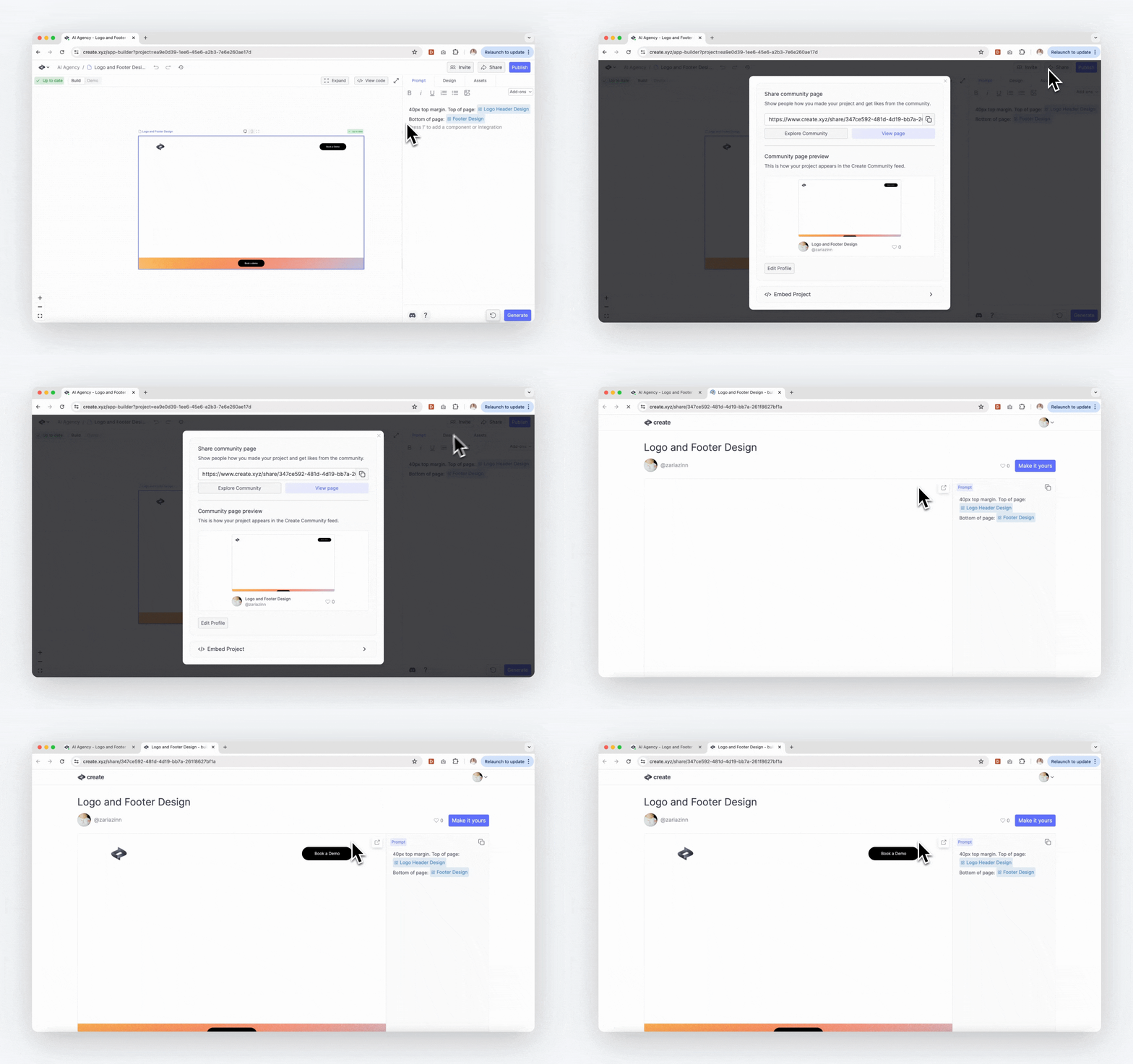 Share your projects in three steps:
-
Share Menu:
- Click “Share” at top of builder
- View your project’s public share URL
- The share URL shows a preview of your project and version history
-
Customize Your Profile:
- From the bottom left corner of the Dashboard, tap your email
- Add profile picture
- Set public username
-
Share Page:
- Your profile appears with the project
- Others can view the project and version history
- Community can heart and remix
Free/Pro projects are public by default. Pro members can set up to 3 projects private. Business/Enterprise projects stay private unless shared manually.
Remixing
Find and reuse content from other builders:-
Discover Content:
- Visit the Create Community
- Search for projects, components, or functions
- Filter by hearts or last created
-
Preview and Test:
- Open the share page for any item
- Test complete projects in action
- See the history of the project to learn how it was built
-
Remix:
- Tap “Remix”
- Get a copy of the latest version in your builder
- Move or duplicate elements between your projects
Remixing creates your own copy to customize. Original creators keep their version unchanged.
Project Privacy
Project visibility depends on your plan:-
Free/Pro Plans:
- Projects public by default
- Visible in community
- Anyone can view and remix
- Pro members can make up to 3 projects private
-
Business/Enterprise Plans:
- Projects private by default
- Hidden from community
- Manual sharing required
